Track your Bonsai tree collection on your iPhone, iPad, or iPod touch!


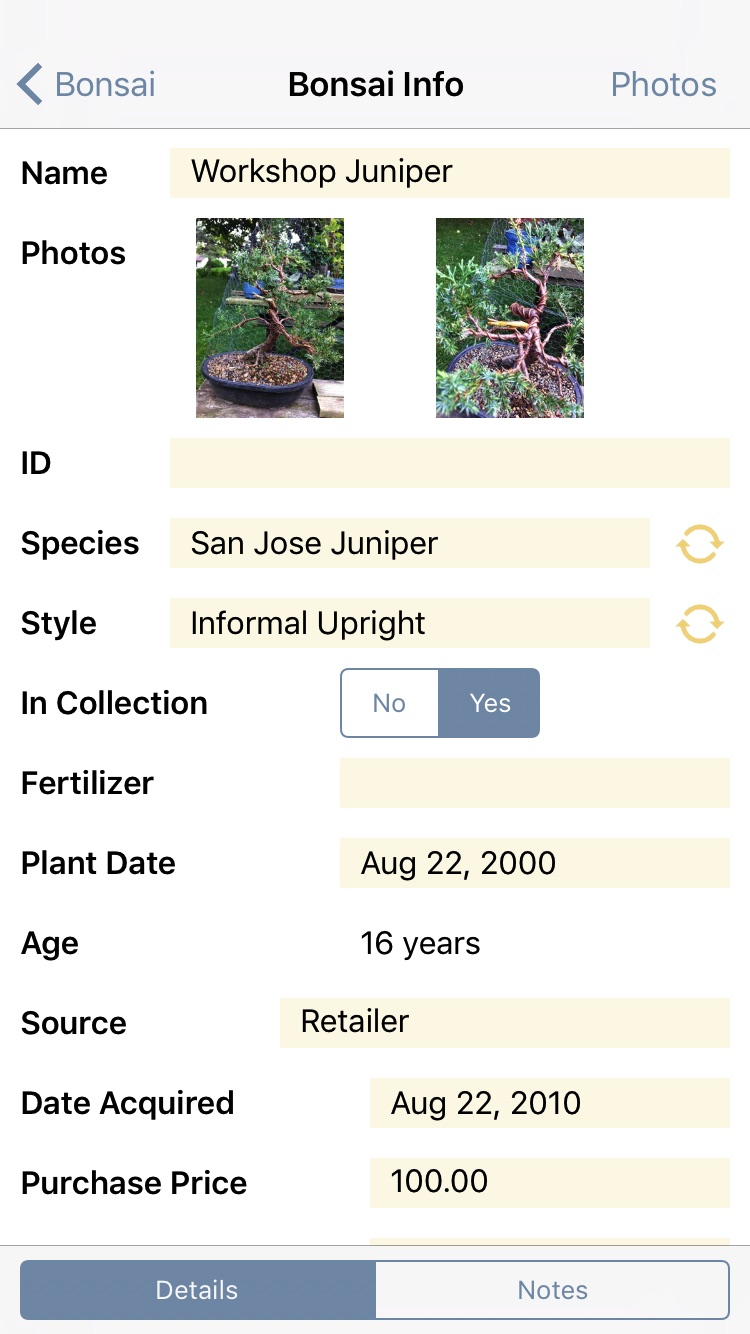



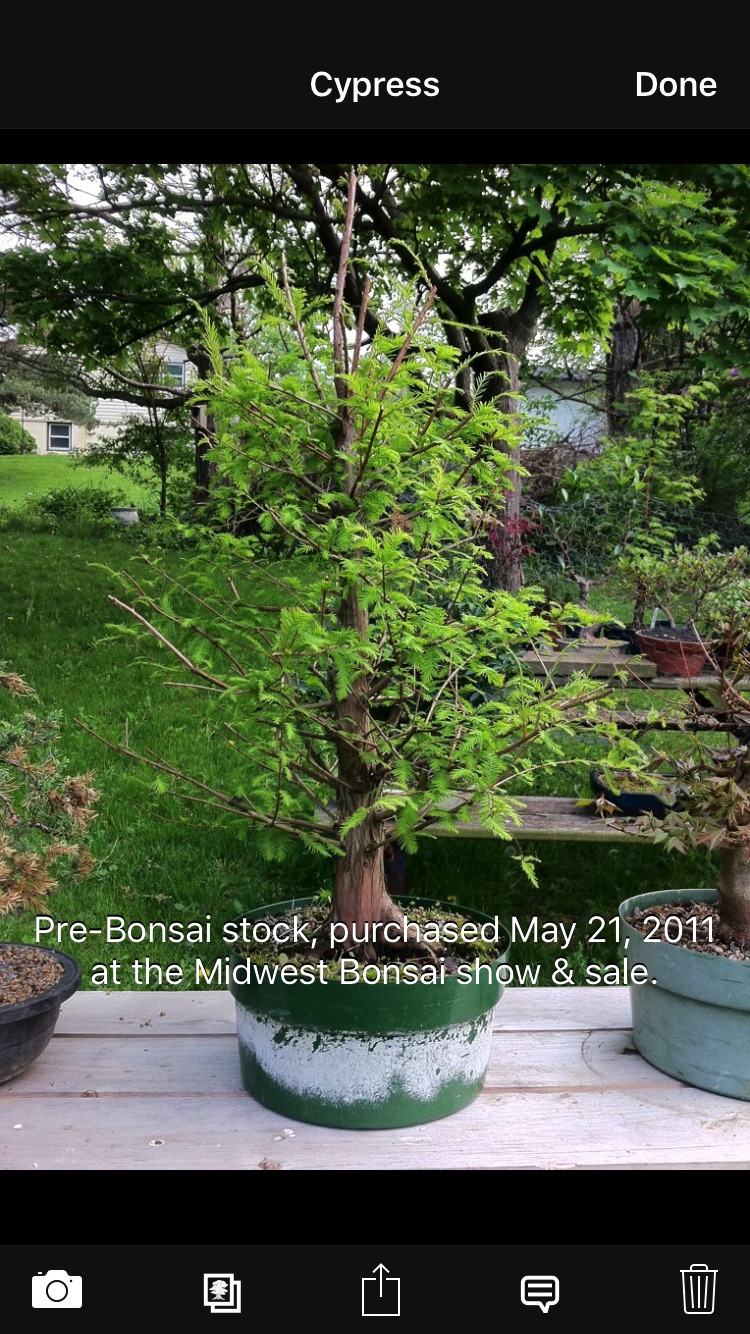

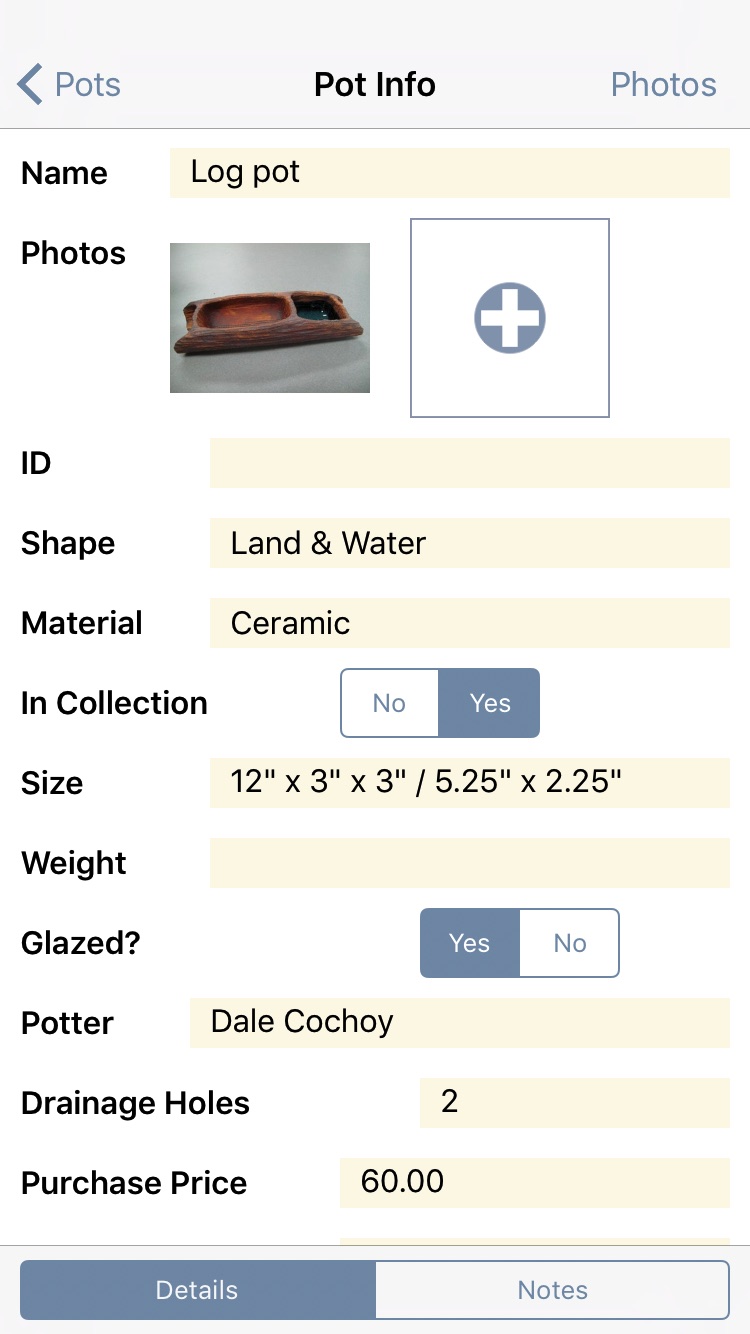

Bonsai Album (盆栽アルバム) makes keeping track of your Bonsai or Penjing collection easy. Track development of your trees throughout their lives, on your iPhone, iPad, or iPod touch!
Want to track Bonsai on your PC or Mac? Bonsai Album for Mac and Bonsai Album for PC are now available!
Whether you’re new to Bonsai, a collector, or a dealer, Bonsai Album is the ideal tool for organizing your trees, pots, and notes.
Languages Supported:
English, Français, Italiano, Deutsch,
Español, Português, 日本語, 简体中文
Here’s what you can do with Bonsai Album:
- Record details about your trees, including age, source, style, species, and dimensions.
- Select from over 200 species names (with common and botanical names), or add new species.
- Store pot details, along with photos.
- Track styling, fertilizing, and other events for every tree and pot in dated log entries.
- Create and edit log entry reminders linked to your calendar.
- Add multiple photos per tree, pot, and log entry.
- Add text captions for each photo.
- Select photos to appear on the main thumbnail display for each tree or pot.
- Scroll through photos in a full-screen gallery view, or in thumbnail form.
- View your bonsai and pot collections in table form, or by image.
- View the log history for each tree or pot, sorted by date.
- Review statistics for your collection.
- Protect your data with a passcode lock.
- iOS4 multitasking and Retina graphics support.
- Database backup, restore, import and export over WiFi to your computer’s web browser.
- Transfer the complete database between devices (iPad / iPhone / iPod) over WiFi via Bonsai Album BDBI-format support.
- CSV format support to import/export your Bonsai Album database to and from desktop spreadsheet applications.
- Bonsai Report export feature. View your bonsai and pot collection on your computer’s web browser. Great for keeping track of your collection for inventory or insurance purposes.
- iPad support at no extra charge!
Please note that Bonsai Album does not come preloaded with any photos, nor does it include any bonsai care information and so forth. It only tracks information and displays photos you’ve added yourself.
There have been some concerns about the limited number of photo slots available for each tree. To add more than 2 photos per tree on the iPhone / iPod, or more than 5 on the iPad, tap the Photos button in the top-right of the Info screen for the Bonsai you’d like to inspect. Note that this button will only appear after you have saved the Bonsai for the first time. The Photos screen will allow you to add as many photos for the Bonsai (or Pot, or Log) as you wish – you’re only limited by the free space available on your device! Note that the free (Lite) version of Bonsai Album is still limited to 3 photos per Bonsai, Pot, and Log. For further details on this and other questions, consult the Frequently Asked Questions page, or email me at .
Privacy Policy
Andrew Nicolle is a strong believer in a user’s privacy. No personal information is collected by Bonsai Album. Whatever data you enter into Bonsai Album is kept locally on your own iOS device. Andrew Nicolle has no access to your data or any personal information unless you explicitly choose to share that information via email for the purpose of support. In such a case, only a single developer will ever see the shared data and information, and only in order to provide the requested support.
Bonsai Album may request access to your calendar and photo library. This is necessary to support the functionality provided by the app per user request. Your data is neither shared nor collected outside of Bonsai Album, unless you explicitly share your data outside the app.
If you enable iCloud backups on your device, your data will be stored in your iCloud account. The app itself does not store data in any cloud services, except when you explicitly share your data with such services.
Bonsai Album allows you to share your data through various means, including with the PC and Mac versions of the app over WiFi, to other computers, via email, or through other third-party services. This shared data is not encrypted.
What’s new in the version 3.7 update:
- Bug fixes.
Version 3.6
- Added support for Dark Mode.
- Bug fixes.
Version 3.5
- Improved iOS 13 support.
- Added support for new devices.
- Bug fixes.
Versions 3.3-3.4:
- Bug fixes.
Version 3.2:
- Fixes a bug with missing photo albums imported via iTunes.
Version 3.1:
- Fixes a bug with adding photos from iCloud Photo Library.
- More photo libraries are now visible.
Version 3.0:
Note: This update requires iOS 8 or higher!
- Added iOS 10 support.
- Add multiple photos at a time from your photo library.
- Increased the photo size on the Bonsai, Pots, and Logs lists.
- Increased photo resolution when adding new photos.
- Added Extra-Large photos option for the Bonsai Report feature.
- Log photos are now automatically added to the associated Bonsai and Pot.
- Increased photo caption font size.
- Added photo sharing feature.
- New Bonsai fields: ID, In Collection, Value, Sell Price, Fertilizer, Location, Weight, Light, Temperature, Medium.
- Bonsai Source field is now an editable text field.
- New Pot fields: ID, In Collection, Value, Sell Price, Weight, Location.
- Added Semi-Cascade Pot shape.
- Pots can now be sorted by shape.
- Bonsai and Pot lists now show ID field and In Collection state.
- Bonsai and Pots can now be hidden if not in your collection.
- Added barred snowflake icon for Bonsai with Winter Indoors set to Yes.
- Bonsai search can now filter trees needing Winter Indoors by starting to search for “Winter Indoors”.
- Value statistic now takes the new Value fields into account.
- New CSV templates for the new fields.
- Bug fixes.
Version 2.6:
Note: This update requires iOS 6 or higher!
- Added iOS 9 support.
- Added iPad Pro support.
- Bug fixes.
Version 2.5:
- Bug fixes
Version 2.4:
Note: This update requires iOS 5.1.1 or higher!
- Added iOS 8 and 64-bit support
- Support for new high-resolution iPhone 6 / 6 Plus displays
- Added database transfer via AirDrop (requires iOS 7 or higher and AirDrop-capable devices)
- Added support for the PC version of Bonsai Album
- User interface improvements
- Bug fixes
Version 2.3:
- Added Simplified Chinese localization
- User interface improvements
- All info screens now use scrollable lists
- Device rotation is now supported on info screens for iPhone and iPod touch
- The main Log list is now divided by year and month
- Botanical names are now shown in italics
- Bug fixes
Version 2.2:
- Camera view now appears in full-screen instead of a popup on iPad
- Fixed add button tap issues on iOS 7
Version 2.1:
Note: This update requires iOS 5.0 or higher!
- Added iOS 7 support
- New iOS 7-style minimalist interface
- Bug fixes
Version 2.0:
- Photos can now be rearranged. In the photo grid view for any Bonsai, Pot or Log, long press (not tap) the photo and drag it to the new position
- Added a search bar on the Bonsai, Pots, and Logs lists
- Improved Bluetooth keyboard support
- Removed the photo slot selection button on the full-screen photo view. The main photo slots now reflect the order of photos on the Photos screen
- Updated database transfer alerts to mention the ability to connect with the Mac version of Bonsai Album
- Added Oldest Tree statistic
- Bug fixes
Version 1.9:
- The database can now be transferred directly from Bonsai Album Lite to the full version
- Renamed the Bonsai Album DB format to BDBI and added a BDBI file-type association
- Transfer the complete database between devices (iPad / iPhone / iPod) over WiFi via Bonsai Album BDBI-format support
- Bug fixes
Version 1.8:
- Fixed purchase price truncation bug
- Added button to view pot information on the Bonsai Info screen
- Added buttons to view bonsai and pot information on the Log Info screen
- Bug fixes
Version 1.7:
Note: This update requires iOS 4.3 or higher!
- Added iOS 6 support
- Support for new high-resolution iPhone 5 and iPod touch displays
- Greatly improved app startup time with large databases. The app will take longer to start the first time after updating to this version, but will start faster thereafter. This is due to the database upgrade
- Added Portuguese localization
- Improved German localization of bonsai terms
- Updated German CSV template
- Improved data saving behavior
- Fixed non-Retina iPad tab bar texture
- Added database integrity check and repair of database corruption
- Prevent automatic screen-locking during database transfer over WiFi
- Added iTunes File Sharing support
- Bug fixes
Version 1.6:
- Added French localization
- Added German localization
- Existing Species and Events can now be edited
Version 1.5:
- Added Japanese localization
- Added Italian localization
- Added Spanish localization
- Added page breaks to Bonsai Report to prevent page overruns when printing
- Bug fixes
Version 1.4:
- Updated icon and other graphics for the new iPad Retina display
- Increased resolution of photo thumbnails (does not affect existing thumbnails)
- Added Bonsai Report export feature. View your bonsai and pot collection on your computer’s web browser. Great for keeping track of your collection for inventory or insurance purposes
- Added Log reminder feature. Highlights log entries due and allows them to be added to (or edited on) the device calendar
- Added Reminders Due statistic
- Improved scrolling performance with photo grids
- User interface improvements
- Added iPad camera support
- Bug fixes
Version 1.3:
- Fixed EXIF orientation handling when saving photos
- Fixed progress pop-up view orientation bug
Version 1.2:
- Fixed tab bar textures on iOS 5.0
- Fixed data form alignment on iPad
Version 1.1:
- Bug fixes for iOS 5.0
- Fixed problem with pot to bonsai mapping when importing a database
Send me an email at if you have any questions, to request features, or report any issues. Check the Bonsai Album Frequently Asked Questions page for quick answers to commonly asked questions.
Join the Facebook page to discuss Bonsai Album with other fans.